Exam Instructions
Before Beginning
The CAFS/NCT examination is a two-hour, timed, closed-book examination. Results are reported as Pass or Fail based on the total number of correct answers.
- Before beginning, remove all reference materials from your desk, including the NAFA Guide to Air Filtration.
- Have your laptop, calculator (phone is permissible), pen/pencil, and scratch paper ready.
- Do not launch the exam until instructed by the proctor,
Step 1 — Log In
Go to exam site:
https://csregsonline.com/nafa (use button above)
Username: Your email address
Password: nafa
Step 2 — Start Your Exam
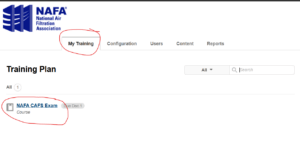
From your Training Plan:
- Select NAFA CAFS Exam or NAFA NCT Exam.
- Select Launch Exam to begin.
Do not select Launch Exam until instructed by your proctor.
Step 3 — During the Exam
- Keep an eye on the timer at the bottom of the screen.
- Select Menu to review your progress and identify unanswered questions.
- Use Next and Prev to move between questions.
- Before submitting, review the exam for unanswered questions.
Step 4 — Submit Your Exam
When you are finished, select Submit Exam at the bottom of the page.
Once you submit the exam, your Pass/Fail result will appear immediately.